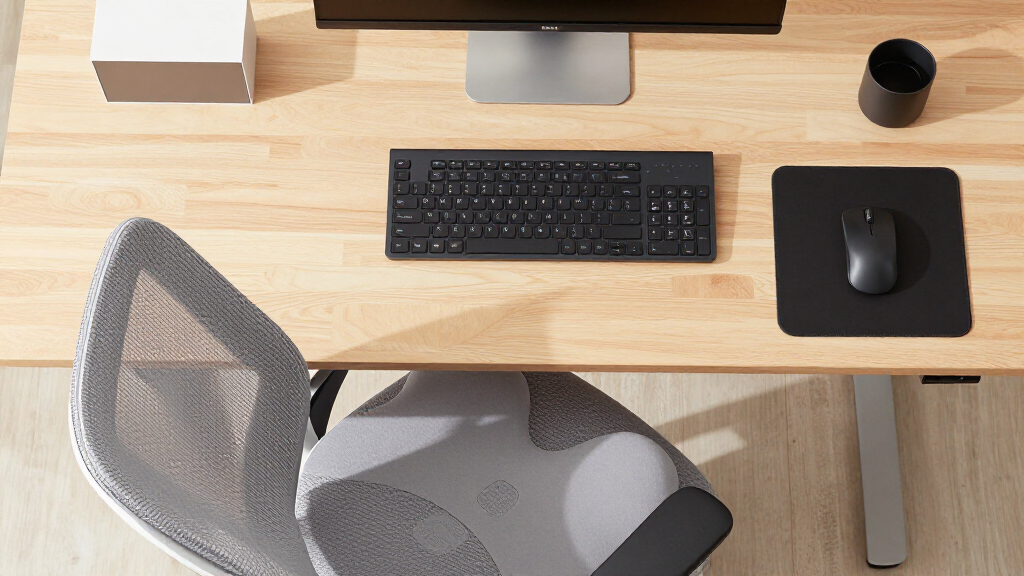

Studying for hours at a desk built for nothing in particular is how neck pain, sore wrists, and stiff shoulders start. The right accessories fix the two biggest problems in a typical study setup: a laptop screen that sits far too low, and hard desk surfaces that force your wrists into awkward angles while typing and mousing. In this guide, I compare three ergonomic study desk accessories that address those problems from different angles, and I rank them by how much posture improvement each one delivers per dollar.

Get health and wellness essentials delivered free with Prime
- Fast, free delivery on millions of items
- Prime Video, Amazon Music and more included
- Member-only deals all year
My top pick is the Nulaxy Adjustable Laptop Stand, because raising your screen to eye level produces the single largest reduction in neck and spinal strain you can make at a study desk. The MEKASS Ergonomic Wrist Rest Set takes the value slot — it is the cheapest way to relieve wrist pressure during long typing sessions, and it pairs well with any keyboard. The 4-in-1 Ergonomic Desk Pad rounds out the lineup as the all-in-one option, combining a full desk surface with built-in wrist support, though it demands a much larger desk footprint than the other two.
The main tradeoffs to weigh before buying: targeted relief versus coverage. The Nulaxy fixes your neck but does nothing for your wrists; the wrist rest sets fix your wrists but nothing else. There is also a desk-space tradeoff — the oversized desk pad replaces your mouse pad and coaster but swallows most of a small study table. I break down who each option suits, and who should skip it, below.
Key Takeaways
- The Nulaxy laptop stand delivers the biggest ergonomic gain per dollar because screen height affects your entire posture chain — neck, shoulders, and spine — while wrist rests only address your wrists.
- The MEKASS wrist rest set is the best value buy at a fraction of the stand’s price, but it only makes sense if you already have your screen at a reasonable height.
- The 4-in-1 desk pad trades the most desk real estate (35.4 x 15.75 inches) for the most coverage — surface, wrist support, and a coaster in one purchase.
- MEKASS memory foam (0.79 inches thick) suits typists who want gentle support; the desk pad’s 0.98-inch rests suit those who prefer firmer, taller cushioning.
- None of these three includes height-adjustable monitor positioning — if your laptop is your only screen, start with the Nulaxy before spending anything on wrist accessories.
| Nulaxy Ergonomic Adjustable Laptop Stand for Desk |  | Best Overall — the biggest posture fix you can buy | Compatibility: 10-16 inch laptops (MacBook, Dell XPS, HP, Lenovo, ASUS, Chromebook) | Weight Capacity: 22 lbs (10 kg) | Item Weight: 1.7 pounds | VIEW LATEST PRICE | See Our Full Breakdown |
| MEKASS Ergonomic Wrist Rest for Keyboard and Mouse |  | Best Value — targeted wrist relief for the lowest price | Material: Medical-grade slow bounce-back memory foam, Lycra fabric | Keyboard Wrist Rest Dimensions: 17.32 x 3.15 x 0.79 inches | Mouse Pad Dimensions: 6.23 x 3.54 x 0.79 inches | VIEW LATEST PRICE | See Our Full Breakdown |
| Ergonomic Large Mouse Pad and Keyboard Wrist Rest, 4-in-1 Desk Pad — Green Leaves |  | Best All-in-One — full desk coverage in a single purchase | Desk Pad Dimensions: 35.4 x 15.75 inches | Keyboard Wrist Rest Dimensions: 17.32 x 3.15 x 0.98 inches | Mouse Wrist Rest Dimensions: 5.4 x 3.15 x 0.98 inches | VIEW LATEST PRICE | See Our Full Breakdown |
| ergonomic study desk accessorie | Keyboard Wrist Rest Dimensions | Design | Use Case | Pieces Included |
|---|---|---|---|---|
| Nulaxy Ergonomic Adjustable La | — | — | — | — |
| MEKASS Ergonomic Wrist Rest fo | 17.32 x 3.15 x 0.79 inches | Massage pattern surface | Office, study, and gaming setups | 2 (keyboard rest, mouse rest) |
| Ergonomic Large Mouse Pad and | 17.32 x 3.15 x 0.98 inches | Green Leaves pattern | Home office, study, and gaming | 4 (desk pad, keyboard rest, mouse rest, coaster) |
More Details on Our Top Picks
Nulaxy Ergonomic Adjustable Laptop Stand for Desk
If a laptop is your primary study screen, this stand is the accessory that changes the most about how you sit. Raising the display to eye level corrects the downward head tilt that causes neck, shoulder, and spinal strain during long sessions — a benefit that no wrist rest can replicate. That single fact is why I rank it first: it addresses the top of your posture chain, and everything below it benefits.
Compared with the two wrist-focused options in this lineup, the Nulaxy demands more of your budget but delivers structural change rather than surface comfort. Its dual-support rod mechanism holds devices up to 22 lbs without wobble, which matters if you type directly on a heavier 16-inch laptop — a flimsy stand would flex under every keystroke and undermine the ergonomic benefit. The geometric heat-vent panel is a quieter advantage: better airflow means less thermal throttling during long study marathons, so your laptop stays fast and its fans stay quiet.
The tradeoffs are real. The fixed base style limits height options compared with fully articulating stands, so very tall users may still need to stack a monitor or add an external keyboard to reach true eye level. It also does nothing for wrist comfort on its own — which is exactly why it pairs well with the MEKASS set, since the stand lifts the screen while the wrist rests support your hands once you add a separate keyboard. Students who already use an external monitor at correct height can skip this pick entirely and put the money toward wrist support instead.
Portability is a genuine strength for campus life: the dual-foldable design collapses flat at 1.7 pounds, sliding into a backpack alongside the laptop it serves. Compatibility spans 10 to 16 inches, covering MacBooks, Dell XPS, ThinkPads, HP, ASUS, and Chromebooks, so it will survive a laptop upgrade.
Pros:- Raises the laptop screen to eye level, reducing neck, shoulder, and spinal strain — the largest single ergonomic gain in this lineup
- Dual-rod support mechanism keeps devices up to 22 lbs wobble-free while typing
- Heat-vent panel improves airflow and helps prevent thermal throttling during long sessions
- Folds flat and weighs only 1.7 pounds, making it genuinely portable between dorm, library, and home
Cons:- Fixed base style offers less height adjustment than fully articulating stands
- Does nothing for wrist comfort — it needs a separate wrist rest or external keyboard to complete the ergonomic setup
- No verified customer rating data available to confirm real-world durability
Best for: Students and remote workers whose laptop is their main screen and who study for multiple hours a day
Not ideal for: Anyone already using an external monitor at eye level, or very tall users needing more height adjustment than the fixed base allows
- Compatibility:10-16 inch laptops (MacBook, Dell XPS, HP, Lenovo, ASUS, Chromebook)
- Weight Capacity:22 lbs (10 kg)
- Item Weight:1.7 pounds
- Dimensions:11.81 x 11.02 x 2.76 inches
- Mounting Type:Tabletop
- Special Features:Adjustable, Ergonomic, Foldable, Heat-Vent, Portable
- Color:A-Silver
- Warranty:Amazon 30-Day Voluntary Return Guarantee
Our verdict“The highest-impact ergonomic purchase for laptop-based students, and the one accessory that changes your posture rather than just cushioning it.”
MEKASS Ergonomic Wrist Rest for Keyboard and Mouse
Not every ergonomic problem needs a hardware solution. If your screen height is already tolerable and your complaint is aching wrists after long typing sessions, this two-piece memory foam set solves that specific problem for the smallest outlay in this guide — which is why it earns the value slot.
Compared directly with the 4-in-1 desk pad, the MEKASS set takes a targeted approach: two focused rests rather than an oversized surface. Its medical-grade slow bounce-back memory foam at 0.79 inches thick offers gentler, more forgiving support than the desk pad’s taller 0.98-inch rests — a real difference for typists who dislike feeling propped up. The non-slip silicone base keeps both pieces planted during fast mouse movements, addressing the most common failure mode of cheap wrist rests that slide mid-session and quietly reintroduce strain.
The set’s weaknesses shape who should buy it. It only comes in black, which rules out anyone curating a light-toned desk aesthetic — a contrast with the patterned Green Leaves design of the desk pad. The 3.15-inch-wide keyboard rest may run narrow for larger hands and wrists, and users who sink their full wrist weight into the foam may want denser cushioning than slow bounce-back foam provides. Crucially, it offers no desk surface protection at all: if spills or scratches concern you, the desk pad’s waterproof coating does a job this set simply does not attempt.
Where this pick makes the most sense is as a companion to the Nulaxy stand. Raise the laptop, add an external keyboard, then rest your wrists on this set — that combination covers both ends of the posture chain for less than the cost of most single ergonomic chairs. As a standalone purchase, it suits desktop-PC students whose monitor is already at the right height.
Pros:- Soft memory foam with a massage-pattern surface provides genuine pressure relief during long typing or study sessions
- Non-slip silicone base keeps both rests securely in place on virtually any desk surface
- Targeted two-piece design fits smaller desks that cannot accommodate a full desk pad
- The lowest-cost entry point into ergonomic wrist support in this comparison
Cons:- Available in black only, limiting desk aesthetic options
- Dimensions may be too small for users with larger hands or wrists
- Some users may prefer firmer or thicker cushioning than the 0.79-inch foam offers
Best for: Budget-minded students and typists with acceptable screen height who want affordable wrist pain relief
Not ideal for: Users with large hands or wrists, those wanting firm cushioning, or anyone who also needs desk surface protection
- Material:Medical-grade slow bounce-back memory foam, Lycra fabric
- Keyboard Wrist Rest Dimensions:17.32 x 3.15 x 0.79 inches
- Mouse Pad Dimensions:6.23 x 3.54 x 0.79 inches
- Base:Non-slip silicone
- Design:Massage pattern surface
- Use Case:Office, study, and gaming setups
- Pieces Included:2 (keyboard rest, mouse rest)
Our verdict“The cheapest meaningful upgrade for sore wrists, and the natural companion to a laptop stand — provided your hands are not too large for its compact rests.”
Ergonomic Large Mouse Pad and Keyboard Wrist Rest, 4-in-1 Desk Pad — Green Leaves
Some students would rather solve everything with one purchase than assemble a setup piece by piece. This 4-in-1 set bundles a full desk pad, keyboard wrist rest, mouse wrist rest, and cup coaster — replacing your mouse pad, protecting your desk, and supporting your wrists in a single order. That breadth, not any single standout feature, is its reason for being in this lineup.
Against the MEKASS set, the comparison comes down to coverage versus footprint. The desk pad measures a sprawling 35.4 x 15.75 inches, large enough to hold a full-sized keyboard with room for wide, low-sensitivity mouse sweeps — a genuine advantage for gamers and anyone who dislikes a mouse running off the pad mid-study-session. Its waterproof coating also does something MEKASS does not: it shrugs off coffee spills, which in a study context is less a luxury than a survival feature. The bundled coaster doubles down on that spill defense.
The tradeoff is desk real estate. On a compact student desk or a dorm-room table, this pad will consume nearly the entire surface, and it is simply the wrong buy for small workspaces — the MEKASS pair or the Nulaxy stand both fit where this cannot. Its wrist rests also take a firmer stance: at 0.98 inches thick versus MEKASS’s 0.79, they suit users who prefer more aggressive elevation, and the wrist-support positioning is fixed by the design rather than adjustable to individual preference. The patterned Green Leaves finish is a love-it-or-leave-it aesthetic choice that gives your desk personality but will clash with minimalist setups.
This option makes the most sense for students with a larger desk and a one-purchase mindset — especially anyone combining study with gaming, where the oversized mousing surface earns its keep. It also does not raise your screen, so it complements rather than replaces the Nulaxy if neck strain is your primary complaint.
Pros:- Massive 35.4 x 15.75 inch surface accommodates a full-sized keyboard plus generous mouse movement space
- Waterproof coating protects both the pad and your desk from inevitable study-session spills
- Bundles four accessories in one purchase, including a matching cup coaster
- Thicker 0.98-inch wrist rests provide firmer support for users who want more elevation
Cons:- Far too large for small desks or cramped dorm workspaces
- Firm, fixed wrist support positioning may not suit users who prefer gentler cushioning
- Bold Green Leaves pattern limits aesthetic compatibility with minimalist setups
Best for: Students with spacious desks who want surface protection, wrist support, and a large mousing area in one purchase — especially gamers
Not ideal for: Small-desk owners, minimalists who dislike patterned designs, and users who prefer softer, lower wrist cushioning
- Desk Pad Dimensions:35.4 x 15.75 inches
- Keyboard Wrist Rest Dimensions:17.32 x 3.15 x 0.98 inches
- Mouse Wrist Rest Dimensions:5.4 x 3.15 x 0.98 inches
- Cup Coaster Dimensions:3.9 inches
- Pieces Included:4 (desk pad, keyboard rest, mouse rest, coaster)
- Surface:Smooth, waterproof, easy to clean
- Design:Green Leaves pattern
- Use Case:Home office, study, and gaming
Our verdict“The one-box solution for large-desk students who want protection, wrist support, and mousing room together — if you have the surface area to spare.”
How We Picked
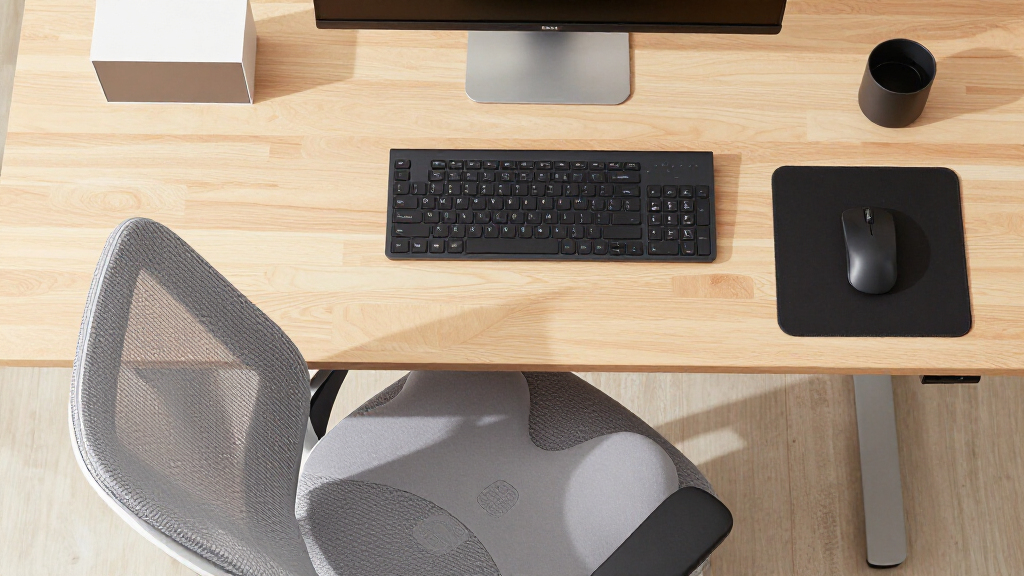
When I evaluate ergonomic study desk accessories, I start with one question: which part of the body does this actually help, and by how much? A product that improves your neck and spine alignment does more measurable good than one that merely feels pleasant, so posture-correcting hardware ranks above comfort add-ons. That logic drove my ranking order throughout this guide.
From there, I judged each product on four criteria. First, ergonomic effectiveness — does the design reflect how bodies actually sit and type, or is the word “ergonomic” just marketing copy? Second, build quality and stability, because a wobbly stand or a sliding wrist rest creates new strain instead of relieving old strain. Third, practicality for a study environment, including desk footprint, portability for students who move between dorm rooms, and durability against coffee spills. Fourth, value — what posture improvement you get relative to price.
I also weighed compatibility across typical student setups, since a MacBook user, a Chromebook user, and a desktop-PC user all have different needs. Where products overlapped — both wrist options cover keyboard and mouse support — I compared them directly against each other rather than reviewing them in isolation, so the differences in thickness, coverage, and desk-space cost are clear. No pick is perfect; I flag real drawbacks for every option so the decision logic stays visible.
| ergonomic study desk accessorie | Design | Use Case |
|---|---|---|
| Nulaxy Ergonomic Adjustable La | — | — |
| MEKASS Ergonomic Wrist Rest fo | Massage pattern surface | Office, study, and gaming setups |
| Ergonomic Large Mouse Pad and | Green Leaves pattern | Home office, study, and gaming |
Factors to Consider When Choosing Ergonomic Study Desk Accessories
Before buying any ergonomic study accessory, it helps to know which problem you are actually solving. Neck pain, wrist pain, and desk wear are three different issues, and each product in this comparison targets a different one. Here is how I would think through the decision.Start With Screen Height
Screen position has the widest ripple effect on your posture. When your laptop sits flat on the desk, you tilt your head downward for hours, which strains your neck, rounds your shoulders, and compresses your spine. A stand like the Nulaxy corrects the root cause rather than the symptom, which is why posture hardware should come before comfort accessories in almost any budget. If you already use an external monitor positioned at eye level, you have solved this problem and can redirect your money toward wrist support.
Match Wrist Support to Your Typing Style
Wrist rests differ in firmness and height more than shoppers expect. The MEKASS set uses 0.79-inch slow bounce-back foam that gently cradles your wrists — better for typists with a light touch. The 4-in-1 desk pad uses firmer 0.98-inch rests that elevate more aggressively, which suits heavier-handed typists and gamers who want their wrist locked into a consistent angle. If you cannot try before buying, thinner and softer is the safer default; too much elevation can itself create wrist angle problems.
Measure Your Desk First
Desk footprint is the most overlooked constraint. The Nulaxy stand adds only a small elevated platform, the MEKASS set occupies two modest strips, but the 4-in-1 pad demands 35.4 x 15.75 inches of clear surface. On a standard student desk of roughly 40 inches wide, that leaves almost no margin for notebooks, textbooks, or a second screen. Measure before you buy — the best accessory in the wrong size becomes clutter.
Think in Pairs, Not Pieces
The strongest ergonomic setups combine products rather than choosing one. A laptop stand plus a wrist rest set covers the full posture chain: eyes on a correctly raised screen, wrists supported on an external keyboard. Buying only the desk pad or only the stand leaves half the problem unsolved. If budget forces a choice, prioritize whichever half of the chain currently causes you pain.
Consider Portability and Student Life
Students move — between dorm, library, home, and class. The Nulaxy folds flat at 1.7 pounds and travels well; the MEKASS pair slides into a bag easily; the 4-in-1 desk pad effectively lives on one desk permanently. If your study locations change weekly, portability should weigh heavily in your decision, and the desk pad becomes the weakest choice despite its coverage.
Frequently Asked Questions
Which ergonomic accessory should I buy first if I can only afford one?
For most laptop-based students, the laptop stand comes first. Screen height affects your entire posture chain — neck, shoulders, and spine — whereas wrist accessories only address your wrists. Raising a screen from desk level to eye level can eliminate the downward head tilt responsible for the majority of study-session neck pain. The exception is if you already use an external monitor at the correct height; in that case your screen problem is solved and a wrist rest set delivers the more noticeable improvement. If neck pain is your chief complaint, no wrist product will help it.
Do I need an external keyboard if I use a laptop stand?
Yes, and this is the detail most buyers miss. Raising your laptop to eye level moves its keyboard into a position that forces your arms to reach upward, which trades neck strain for shoulder strain. The fix is adding an external keyboard and mouse at desk level, ideally paired with a wrist rest like the MEKASS set. The stand and the wrist rests solve opposite halves of the same problem, which is why I recommend them together. Without the external keyboard, you get partial benefit at best and may introduce new discomfort.
Is a memory foam wrist rest actually good for my wrists, or does it cause problems?
Used correctly, a wrist rest helps — but the goal is to support your palms and keep your wrists neutral, not to rest the wrist itself heavily while typing. Constant pressure directly on the carpal tunnel area can aggravate rather than relieve strain, so the rests work best during pauses and for hovering support between keystrokes. Foam quality also matters: the slow bounce-back foam in the MEKASS set and the firmer rests on the 4-in-1 pad both keep their shape better than cheap pads that flatten within weeks. If you notice numbness or tingling despite using a rest, your typing posture or keyboard height is the likelier culprit.
Will the large 4-in-1 desk pad fit on a standard student desk?
It fits, but barely. The pad measures 35.4 x 15.75 inches, and a typical student desk runs around 40 inches wide by 20 inches deep, so the pad covers most of the usable surface with only a few inches of margin. That leaves little room for textbooks, handwritten notes, or a drink outside the bundled coaster. If your desk is smaller than roughly 40 inches wide, or you regularly spread out paper materials while studying, the two-piece MEKASS set is the better fit because it delivers wrist support while leaving the rest of your desk free.
Does the heat-vent design on the Nulaxy stand actually make a difference?
For long study sessions, yes — it matters more than it sounds. Many laptops throttle performance when they overheat, and the bottom panel is usually where heat pools. Elevating the laptop and adding the geometric heat-vent panel improves airflow underneath, which helps the machine sustain speed through multi-hour sessions and keeps fan noise down during recorded lectures or calls. It also reduces the heat soaking into your desk. It will not match a dedicated cooling pad with active fans, but for a passive, foldable stand it is a meaningful bonus on top of the ergonomic benefit.
Conclusion
After comparing all three, my recommendations split cleanly by buyer type. If you are a laptop-first student studying for hours daily, buy the Nulaxy Adjustable Laptop Stand first — it is the only product here that corrects posture structurally rather than cushioning symptoms, and it pairs perfectly with an external keyboard. Students using an external monitor at eye level should redirect that budget downward.
If you are outfitting a setup on a tight budget, or you already have screen height sorted, the MEKASS Wrist Rest Set is the value pick: genuine memory foam relief for the wrists at the lowest cost in the lineup, though users with large hands should check the dimensions before ordering. If you have a spacious desk, want one purchase instead of three, and mix studying with gaming, the 4-in-1 Desk Pad covers your surface, wrists, and coffee cup in one order — just make sure your desk can actually spare 35 inches of width, and that its firmer wrist rests suit your typing preference.
The strongest setup of all combines the first two: stand for the neck, wrist rests for the hands. Whatever your budget, buy for the pain you actually have, measure your desk before ordering, and treat any single accessory as one half of a complete ergonomic study station rather than the whole solution.