
TL;DR

Get health and wellness essentials delivered free with Prime
- Fast, free delivery on millions of items
- Prime Video, Amazon Music and more included
- Member-only deals all year
An ergonomic office chair needs to support varied, comfortable postures through key adjustments. The best chair fits your body, tasks, and workspace, reducing strain over long hours.
Ever sit in a fancy-looking chair that feels great at first but leaves you sore or stiff after an hour? That’s because not all chairs are created equal. An ergonomic office chair is designed to support your body in a way that minimizes physical stress while working.
But what makes a chair truly ergonomic? It’s not just about style or price. It’s about how well it adjusts to your body, your work habits, and your entire workspace. Over the next few minutes, you’ll learn what to look for, how to set up your chair, and what recent trends are reshaping office comfort.
Choose a chair with multiple, easy-to-use adjustments—seat height, lumbar, armrests, recline—to fit your body perfectly.
Remember: movement and posture variation are vital; don’t stay in one position for too long—change and stretch regularly.
Pair your chair with an ergonomic workstation—monitor height, keyboard placement, foot support—for maximum comfort.
Invest in quality: look for durable mechanisms, good materials, and a strong warranty to ensure long-term support.
Stay updated on trends: dynamic, inclusive, and breathable designs make your workday more comfortable and healthier.
Why Adjustability Is the Secret to Comfort and Support
An ergonomic office chair’s magic lies in its adjustability. If you can fine-tune the height, backrest, lumbar support, armrests, and tilt, you’re much more likely to find a posture that feels natural—and stays comfortable for hours.
Imagine this: You’re working on a project, leaning slightly forward, then shifting back to relax. Your chair should support both positions effortlessly. No single shape fits everyone because people vary in size, mobility, and preferences. The most adaptable chairs let you customize fit, making your workday less of a physical battle.
Key adjustments include:
- Seat height that keeps your feet flat on the floor or footrest.
- Seat depth that supports thighs without pressing behind knees.
- Backrest height and recline tension fitting your lower back.
- Armrests that support your arms without raising shoulders.
- Controls that are easy to reach and understand from your seated position.
Choosing a chair without sufficient adjustability is like trying to fit into clothes that don’t match your body—uncomfortable and unsupportive.
Products Worth Considering

Fitbit Sense Health & Fitness Smartwatch (White/Gold, International Version)

Hyperice Normatec Elite Wireless Compression Boots, Standard Size

Garmin Venu® 3 Premium Fitness Smartwatch 45mm Black
As an affiliate, we earn on qualifying purchases.
Your Posture Isn’t Fixed—Why Moving Matters
Contrary to what many believe, there’s no one perfect posture when sitting. Modern ergonomics encourages shifting positions—leaning back, sitting upright, stretching. Staying in one rigid pose can cause more harm than good.
Think of your body as a car engine. It performs best when it shifts gears—alternates between speeds and positions. Sitting upright for hours can tighten muscles and put strain on your lower back. Moving—and even standing—relieves pressure and keeps blood flowing.
For example, every 20-30 minutes, stand up, stretch, or walk a few steps. During long tasks, lean back in your chair for a few minutes, then adjust your posture. Your chair should support this movement, with features like a responsive recline or a flexible backrest.
Understanding why movement matters is crucial because static postures often lead to muscle fatigue, stiffness, and long-term musculoskeletal issues. The tradeoff is that constantly shifting can feel disruptive if the chair isn’t designed to support natural movement, which is why features like tilt tension and responsive backrests are so important for maintaining comfort without sacrificing stability.
How Your Chair’s Fit and Pressure Distribution Keep You Comfortable
A well-fitting seat doesn’t just feel good—it reduces pressure points and supports circulation. When your seat is too deep, it presses behind your knees, restricting blood flow and causing discomfort over time. Conversely, a seat that’s too shallow fails to support your thighs properly, leading to fatigue and poor posture. Proper pressure distribution helps prevent numbness, swelling, and discomfort, especially during long sitting sessions.
For instance, a shorter person might need a seat that’s adjustable in depth to leave about two finger widths between their knees and the seat edge, ensuring proper support without cutting off circulation. Taller users require enough seat depth to support their entire thigh length, preventing slouching or unsupported hips. The goal is to achieve a balanced pressure distribution that maintains healthy blood flow and reduces fatigue.
Look for a cushion that distributes pressure evenly—firm enough to support, soft enough to feel comfortable. Avoid seats with front edges that sharply raise, as they can cut into your legs after hours of sitting. Finding the right fit can be a tradeoff: a softer cushion may feel more comfortable initially but might lack support, while a firmer one can improve support but needs proper adjustment to avoid discomfort. The key is to test how different materials and shapes influence pressure points and circulation, ensuring your body isn’t fighting against the chair’s design throughout the day.
Lumbar Support: The Key to Lower-Back Relief
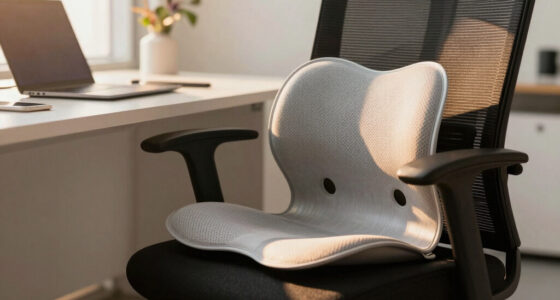
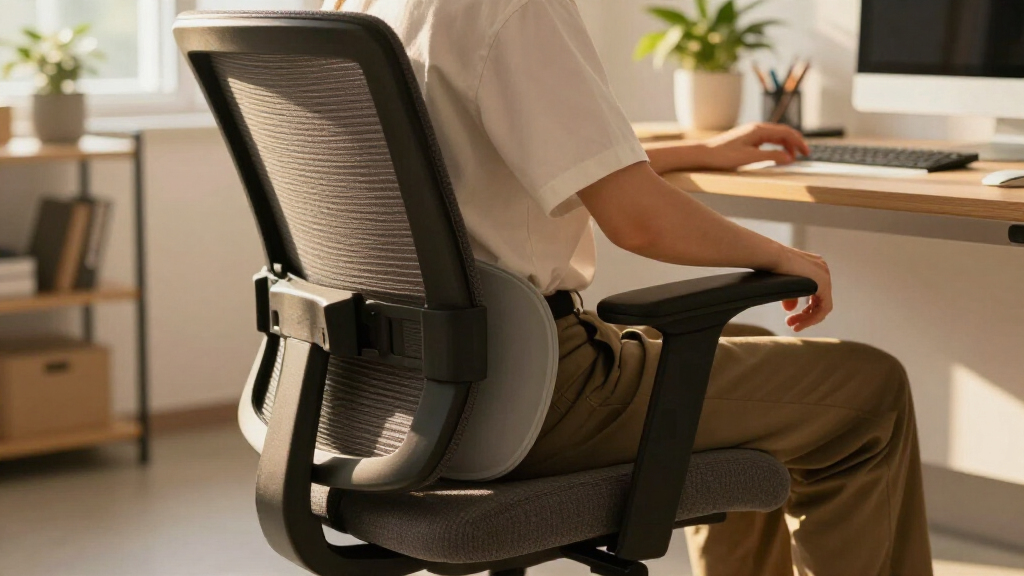
Lumbar support is a gentle curve that fits your lower spine. Properly adjusted, it keeps your back in a natural inward curve, preventing slouching or over-arching. Without adequate lumbar support, your lower back muscles compensate by overworking, which can lead to fatigue, pain, and long-term postural issues.
For example, a user with a small lower back may prefer a support that sits just above the beltline, aligning with the natural curve of their lumbar spine. Someone with a larger frame might need a broader, more pronounced support to fill the gap and prevent slouching. Remember, more support isn’t always better—overly aggressive padding can push your spine into unnatural positions, causing discomfort or restricting movement.
Choosing a chair with adjustable lumbar support allows you to position it precisely where your spine needs it most, which can vary depending on your posture and activity. When the lumbar support is correctly aligned, it encourages proper spinal alignment during prolonged sitting, reducing strain and fatigue. A backrest that moves with you, allowing some sway, helps maintain comfort whether you’re upright or reclined, supporting dynamic movement and reducing stiffness.
Armrests: How to Support Your Shoulders and Neck
Armrests aren’t just for resting your arms—they reduce shoulder and neck tension. When set correctly, they keep your elbows close to your body, easing muscle effort and preventing strain in your upper shoulders and neck. Proper armrest positioning also helps maintain neutral wrist posture, reducing strain during typing or mouse use.
For instance, if your armrests are too high, your shoulders lift, leading to tension and fatigue. If too low, your arms hang unsupported, which can cause discomfort and muscle fatigue over time. Some users find that removing or lowering armrests feels better, especially if they’re tight or poorly positioned, as it allows freer movement and reduces shoulder elevation.
Look for armrests that are adjustable in height, width, and depth. When seated, your forearms should rest comfortably on the armrests with relaxed shoulders, and your wrists should remain in a neutral position—bent neither upward nor downward. Properly adjusted armrests can help distribute upper-body weight evenly, reduce muscle tension, and improve overall comfort during long periods of work.
Your Chair Isn’t Alone—Make Your Entire Workspace Ergonomic
An ergonomic chair works best when paired with the right desk, keyboard, monitor, and accessories. After setting your chair, check that your workstation supports your posture. The goal is to create a seamless environment where each component minimizes strain and promotes natural movement.
For example, your keyboard and mouse should be close enough to prevent stretching—elbows near your sides, wrists straight. The monitor should be at eye level to avoid neck strain, which often results from looking down or up for extended periods. Proper placement ensures your head, neck, and shoulders stay aligned, reducing fatigue and discomfort.
If your feet can’t reach the floor, a footrest makes a big difference. Laptop users should consider external keyboards and stands to bring the screen to eye level and prevent hunching. Investing in an ergonomic setup isn’t just about comfort—it can prevent long-term musculoskeletal issues and boost productivity. Remember, a well-designed workspace considers the entire body’s alignment, not just the chair.
What Quality and Durability Look Like in a Long-Lasting Chair
Good quality isn’t just about comfort—it’s about durability. Look for a sturdy five-point base, smooth-rolling casters suitable for your flooring, and a reliable gas lift. These features ensure stability and longevity, allowing you to rely on your chair for years without frequent repairs or replacements.
A chair with a durable frame, high-quality upholstery, and replaceable parts can last years. For example, commercial-grade chairs often come with warranties of 5 years or more, covering parts and repairs. Investing in such a chair can be cost-effective over time because it reduces the need for frequent replacements and repairs, and it maintains ergonomic support over its lifespan.
Check for a clear weight capacity—most quality chairs support 250-300 pounds—and see if spare parts are available. Avoid flimsy mechanisms or cheap upholstery that wears out quickly. In addition, consider the ease of maintenance and whether replacement components are accessible, as this extends the chair’s usable life. Ultimately, durability isn’t just about materials; it’s about how well the chair maintains its support and functionality over time, making it a worthwhile investment in your health and productivity.
What’s New? Trends That Are Changing Office Chair Comfort
Modern trends focus on supporting movement and inclusivity. Chairs now often feature dynamic reclining, responsive seat pans, and adjustable backrests that move with you. These innovations encourage you to shift and stretch naturally, reducing stiffness and promoting circulation.
Hybrid work has spurred demand for compact, stylish designs with simple controls that fit various spaces and aesthetics. Plus, manufacturers are offering more sizes—wider seats, higher weight limits, tailored options for shorter or taller users—making ergonomic chairs accessible to a broader audience. These developments acknowledge that comfort isn’t one-size-fits-all, and inclusivity improves overall well-being.
Materials matter too: breathable mesh keeps you cool, while hybrid fabrics balance support and softness. Some chairs even incorporate sensors or automatic adjustments, making personalized comfort effortless. These technological advances are not just bells and whistles—they’re designed to promote movement, adapt to individual needs, and create a healthier sitting experience.
All these trends aim to make sitting less static, more comfortable, and accessible for everyone, reflecting a deeper understanding of ergonomic needs across diverse populations.
Frequently Asked Questions
How do I know if an ergonomic chair fits me?
Test whether your feet are supported flat on the floor or footrest, your knees are slightly below or level with hips, and lumbar support aligns with your lower back. Spend time adjusting the controls and moving around to see if it feels natural.
Can a high price guarantee comfort?
Not necessarily. A more expensive chair often offers better materials and more adjustments, but fit and personal comfort matter most. Look for a chair that suits your size, tasks, and preferences—price is just one factor.
Is mesh or foam better for long hours?
Mesh often provides better airflow and a firmer feel, which can keep you cooler. Foam cushions distribute pressure more evenly and may feel softer, but quality matters. Choose based on your climate, support needs, and personal preference.
Do I need a headrest for office work?
Usually not. A headrest is helpful during reclined reading or calls, but most people find it unnecessary for upright keyboard work. If you do want one, ensure it supports your head without pushing it forward.
How often should I adjust my chair?
Adjust it at least once when setting up your workspace, then revisit the settings if you change tasks or feel discomfort. Also, incorporate regular movement—standing, stretching, shifting—to keep your body happy.
Conclusion
Your office chair isn’t just a piece of furniture—it’s a vital tool for your health and productivity. When you prioritize adjustability, fit, and support, you’re not just sitting longer—you’re sitting smarter.
Next time you sit down, imagine your chair as a partner that adapts to your needs, encourages movement, and helps you stay comfortable through the day’s challenges. A great chair is an investment in your well-being—so choose wisely and set it up correctly.